

New music every Friday at noon.
Original Music by Stephane H. Maillet
ADMIN INSTRUCTIONS (HIDDEN)
HOW TO UPDATE
To change a video: open the code module and change only the letters and numbers between the quotes after id=. That’s the video ID, the part after youtu.be/ in the YouTube link.
Before Friday: update the hidden Coming Soon section (cover, title, date, countdown) and the hidden Latest Release section (title, video ID).
Friday at noon: hide the old Coming Soon and Latest Release sections, show the new ones, save, then click Purge cache.
After release: add the new song to the top left of All Songs (duplicate a song, change the ID and title), and shift the others so each row has two. The sections you just hid become next week’s hidden copies.
Detailed Instructions (if needed)
How the page is set up
- Coming Soon and Latest Release each have two sections: the one visitors see now, and a hidden copy that is ready for the next release.
- Hidden sections are set in Advanced > Visibility, disabled on desktop, tablet and phone. They show greyed out in the builder.
- In the Visual Builder the videos show as a small line instead of a thumbnail. That is normal. They show properly on the live page.
Changing a video
- Every video is a Text module labelled Video (Lyte). Open it and change only the ID in: httpv://www.youtube.com/watch?v=VIDEO-ID
- The ID is the part after youtu.be/ in the YouTube link. Example: https://youtu.be/5k2VPOx-YN0 has the ID 5k2VPOx-YN0
- Keep the quotes and the / at the end.
- To add a new video, duplicate an existing Video (Lyte) module so the gold glow comes with it.
Step 1: Get the next release ready (any time before Friday)
- Save the page to the Divi Library first.
- Coming Soon: open the hidden Coming Soon section (or duplicate the visible one and hide the copy). Change the cover image, song title, the “Releasing Friday…” line and the countdown end date (Friday, 12:00 pm).
- Latest Release: open the hidden Latest Release section (or duplicate the visible one and hide the copy). Change the song title and the video ID to the song releasing this Friday. Scheduled YouTube videos keep the same link, so you can add it before it goes live.
- Save. Check that both are still hidden.
Step 2: Release time (Friday at 12 noon)
- Hide the current Coming Soon and Latest Release sections (disable on desktop, tablet and phone).
- Show the hidden ones you prepared (turn desktop, tablet and phone back on).
- Save, then click Purge cache in the top bar. Check the live page on desktop and phone.
Step 3: Add the new song to All Songs (after release)
- All Songs is rows of two. Each column has a Video (Lyte) module and a title under it. Newest goes first (top left).
- Easiest way: duplicate the first column, change its video ID and title to the song that just released, and drag it into the top left spot.
- Move the songs along so every row has two: the last song of each row moves to the start of the next row. If the last row ends up with three, duplicate a row for the extra song and delete what you do not need.
- Save, then Purge cache.
Step 4: Reuse the old sections for next week
- The sections you hid in Step 2 become next week’s hidden copies. Update them in Step 1 next time instead of making new ones.
If something looks wrong
- New thumbnail not showing: Settings > WP YouTube Lyte > Empty WP YouTube Lyte’s cache, then Purge cache.
- The countdown uses the site time zone (Settings > General, set to Moncton).
- Backups of the page are saved in the Divi Library.
Coming This Friday
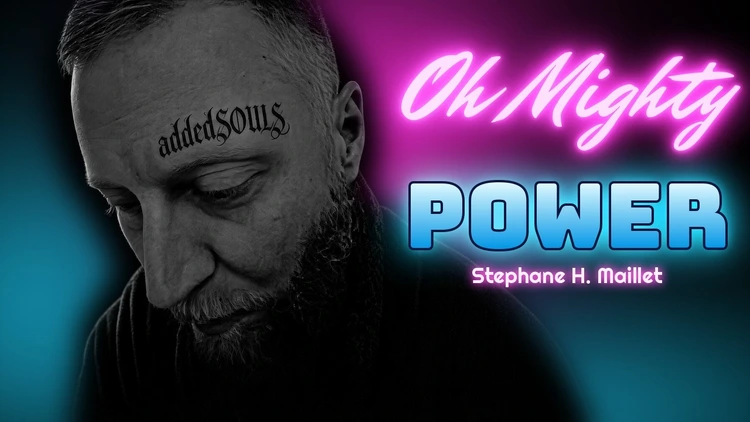
Oh Mighty Power
Releasing Friday, November 6 at 12 noon.
Day(s)
:
Hour(s)
:
Minute(s)
:
Second(s)
Most Popular
Born of Water

Latest Release
She Came From The World

All Songs
Newest first. New music every Friday at noon.

Burnt Up Gold Medal

Tattered & Twisted
Born of Water

Burnt Out Feeling Good

Old Man Buried
Get every new song first
Sign up and be the first to hear each new release.


Get the addedSOULSmusic app
- Tap the Share button in Safari
- Scroll down and tap Add to Home Screen
- Tap Add
On iPhone, the app installs from Safari.
- Tap the Share button or the menu (⋯) in this browser
- Tap Open in Safari, or copy the link and paste it into Safari
- In Safari, tap Share, then Add to Home Screen
- Tap the menu (⋮) at the top right
- Tap Install app or Add to Home screen
- Tap Install